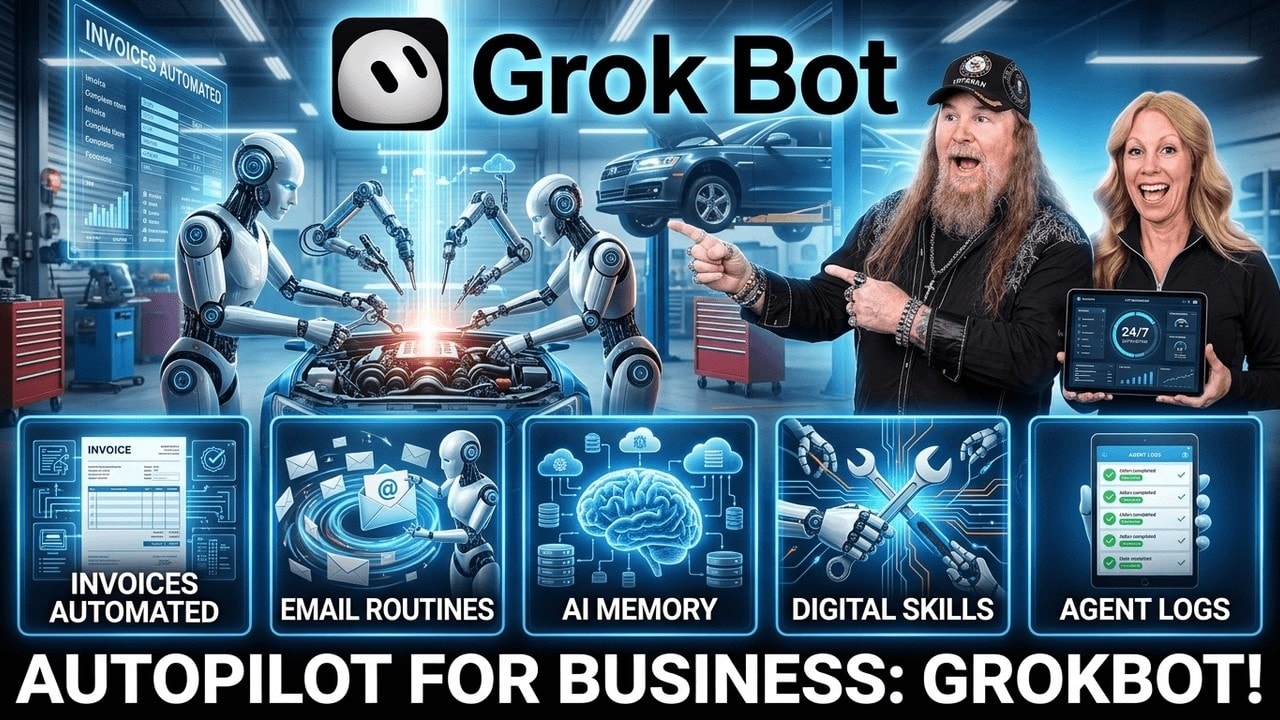
Have you heard of Grok Bot for Repair Shops?
What if you had a team of AI agents online, working inside the tools you already use, getting things done while you handle the real work of running your shop?
That is the part of AI that gets exciting. Not another chatbot you have to babysit. Not another complicated system that requires a software engineer and three days of troubleshooting. I am talking about an agent that can work through actual tasks, communicate across your software, and keep moving even after you close your computer.
For a small business, auto repair shop, RV repair business, or local service company, that can be a serious game changer.
Key Takeaways
- Grok Bot is positioned as an always-on agent system that can work through connected business tools.
- Start with one chief of staff agent and gradually give it business context and limited access.
- Teach repeatable workflows through screen recordings, then convert them into scheduled routines.
- Use agent teams to research, manage email, create documents, and update CRM tasks.
Table of Contents
- What Is Grok Bot?
- Start With a Chief of Staff Agent
- Connect the Tools Your Business Already Uses
- Build a Team Instead of One Do-It-All Bot
- Teach an Agent a Task From Your Screen
- Practical AI Agent Use Cases for Shops
- Use a Dedicated CRM Account for the Agent
- How to Get Started Without Overcomplicating It
- Is an AI Agent Team Worth the Cost?
What Is Grok Bot?
Grok Bot is an always-on AI agent system. The basic idea is that each agent has its own computer environment and can work inside apps much like a human assistant would. You can give it tasks, connect it to your business systems, and let it continue working in the background.
It is important to separate Grok from Grok Bot.
- Grok is the large language model, similar to ChatGPT, Gemini, Claude, and other AI chat tools. It can help create content, images, research, and more.
- Grok Bot is the agent layer that can perform work through connected tools and software.
The ecosystem is moving fast, and there can be some growing pains around sign-up paths, access, pricing, and integrations. Grok can be accessed through its own platform, while Grok Bot is a separate paid system. The big thing is to search specifically for Grok Bot if you are looking for the agent product.
What caught my attention is that this is not just a chat window. It is a system built around agents that can take action, work with a dedicated computer, and operate around the clock.
Start With a Chief of Staff Agent
The simplest way to approach this is to create one central agent, your AI chief of staff. I call mine Chief, but you can name yours whatever you want. Give it an identity, a picture if you want, and most importantly, give it context about your business.
Chief needs to understand the difference between the areas of your work. In my case, it can distinguish America’s Best Shops, Online Marketing Media, and a personal fitness and nutrition assistant I call Arnold. That context keeps the work separated instead of treating every request as one giant, messy pile.
You do not need to spend forever training it either. The system is intuitive enough that you can build up its understanding as you go. Start with the information and tasks that matter most, then add more over time.
Think of this agent as the person you talk to first. It can coordinate work among specialized agents, communicate with connected apps, and handle the repetitive stuff that eats up time every day.
Connect the Tools Your Business Already Uses
The real power starts when you connect the software you are already using. Rather than ripping out every system in your business and starting over, the goal is to let the agent work across what is already in place.
In this setup, Chief was connected to tools including:
- Multiple Gmail accounts
- Google Calendar
- Google Drive
- X
- A dedicated email account for the agent
- A CRM and project management system
- Additional third-party software through Composeio
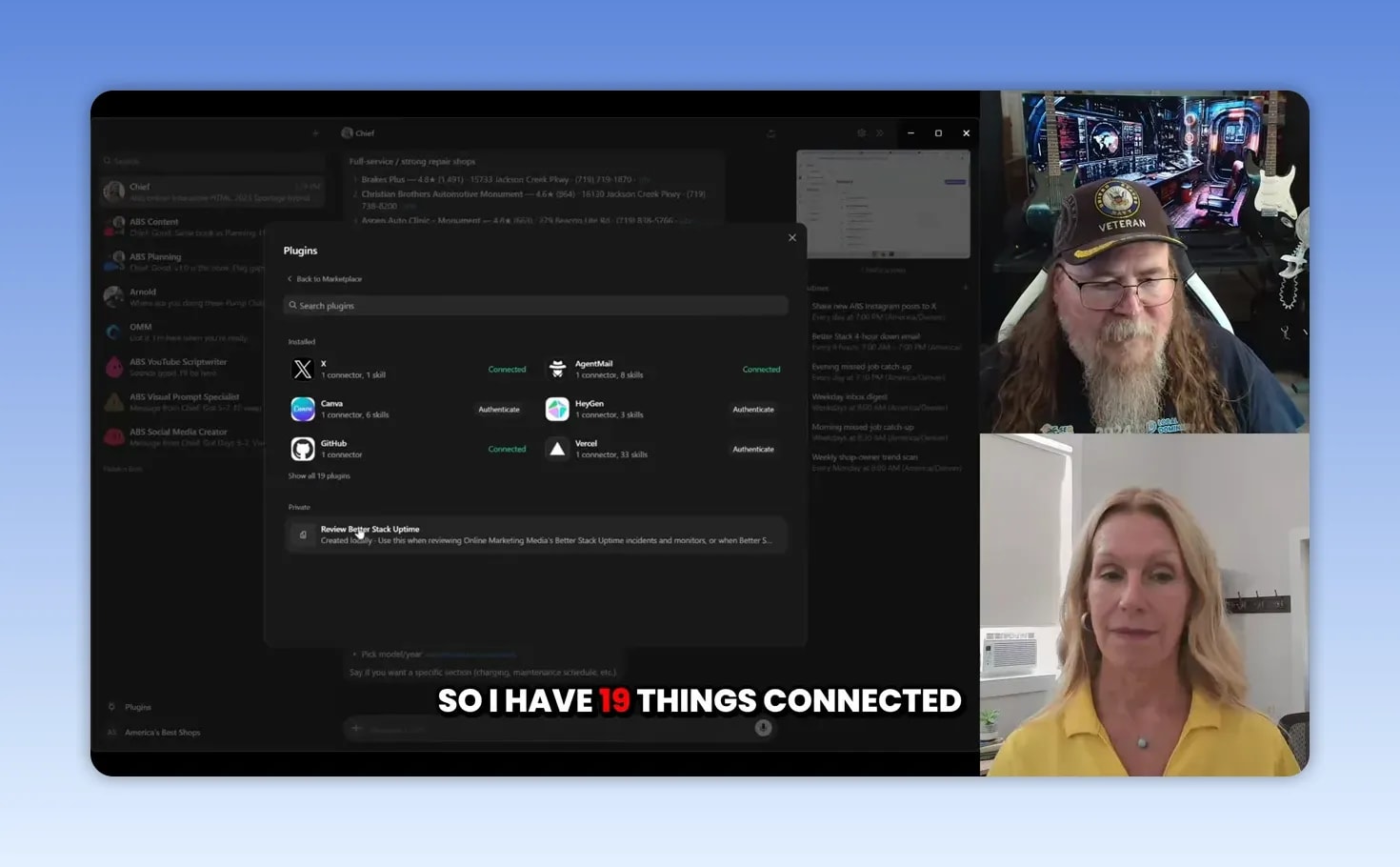
Composeio can extend the reach of the system by connecting it to a large number of other software platforms. If a platform offers an API key, you may be able to ask your chief of staff agent to help connect it.
There is a security piece worth paying attention to here. Do not type passwords into the chat. The process described uses a secure connection layer that lets you complete the login on a connected computer screen without handing your password to the agent in a message.
That does not mean you should throw caution out the window. Start with limited access, use dedicated accounts where it makes sense, and expand permissions only after you understand how the agent is operating.
Build a Team Instead of One Do-It-All Bot
One agent can be helpful. A team of specialized agents can get downright powerful.
Within Grok Bot, you can create teams where multiple agents work on a larger process and communicate with one another. Your chief of staff agent can direct the project without you needing to sit in the middle of every back-and-forth conversation.
Specialized agents can have specific skills attached to them. Those skills can be:
- Pre-made instruction files, typically in an MD file format
- Custom skills created for the way your business works
- Skills created by the chief of staff agent itself
- Processes pulled in from another AI system you have already built
That last one is a big deal. You do not have to reinvent the wheel just because a new platform comes along. If you already built a research, social media, or content workflow in another system, connect the agent to it and tell it to study what is there.
In the example here, an existing social media research and content system was connected from GenSpark or Gen Teams. Chief explored the existing workflow, then created the team needed to replicate it inside Grok Bot.
That included roles like a social media creator, a visual prompt specialist, and a CSV publishing formatter. The point is not that every shop needs those exact roles. The point is that your agent team can be organized around the jobs your business repeatedly needs done.
Teach an Agent a Task From Your Screen
This might be one of the coolest features for a shop owner who is not a coder: Teach a Task.
Think about all the little daily processes someone on your team does by hand. Maybe they update a CRM, check website health, put notes into a job, gather competitor information, organize customer follow-ups, or move information from one platform to another.
With Teach a Task, you can walk the agent through the process with a screen recording. You click, point, explain what you are doing, and show the software or workflow you want it to learn.
- Record yourself performing the task on screen.
- Explain the important decisions, clicks, and steps as you go.
- Let the agent review the recording and identify the workflow.
- Answer any clarifying questions it has.
- Allow the agent to create a routine for the task.
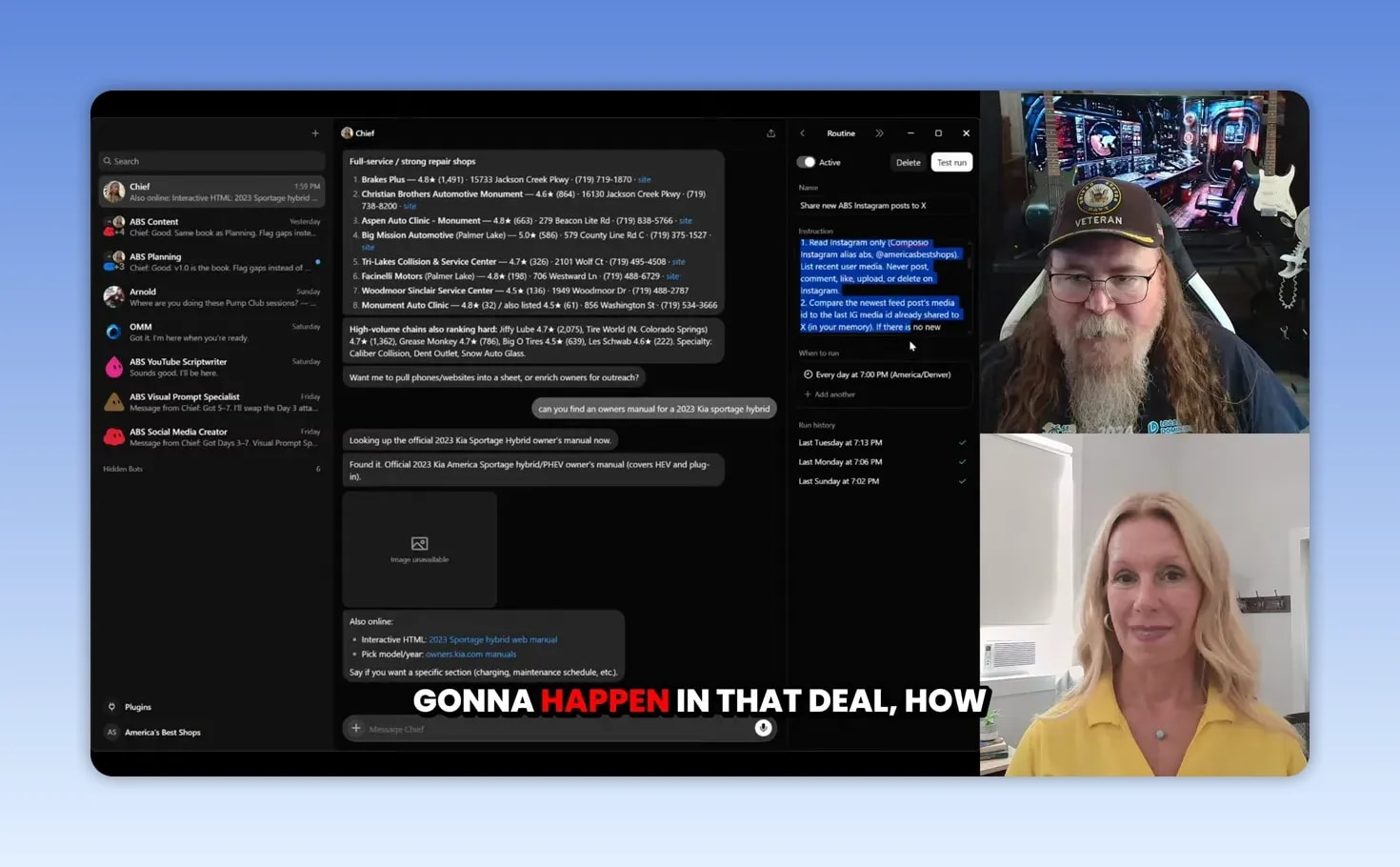
That recording could be two minutes, five minutes, or longer depending on the job. The agent can turn it into a repeatable routine with a name, description, schedule, and run history.
This is where the opportunity gets real for small businesses. Make a list of every recurring task your office, front counter, service advisor, or manager does manually. Then look for the work that requires lots of clicking, hunting, pecking, copying, pasting, and checking.
Those are the first tasks worth exploring.
Practical AI Agent Use Cases for Shops
Research local competitors and content opportunities
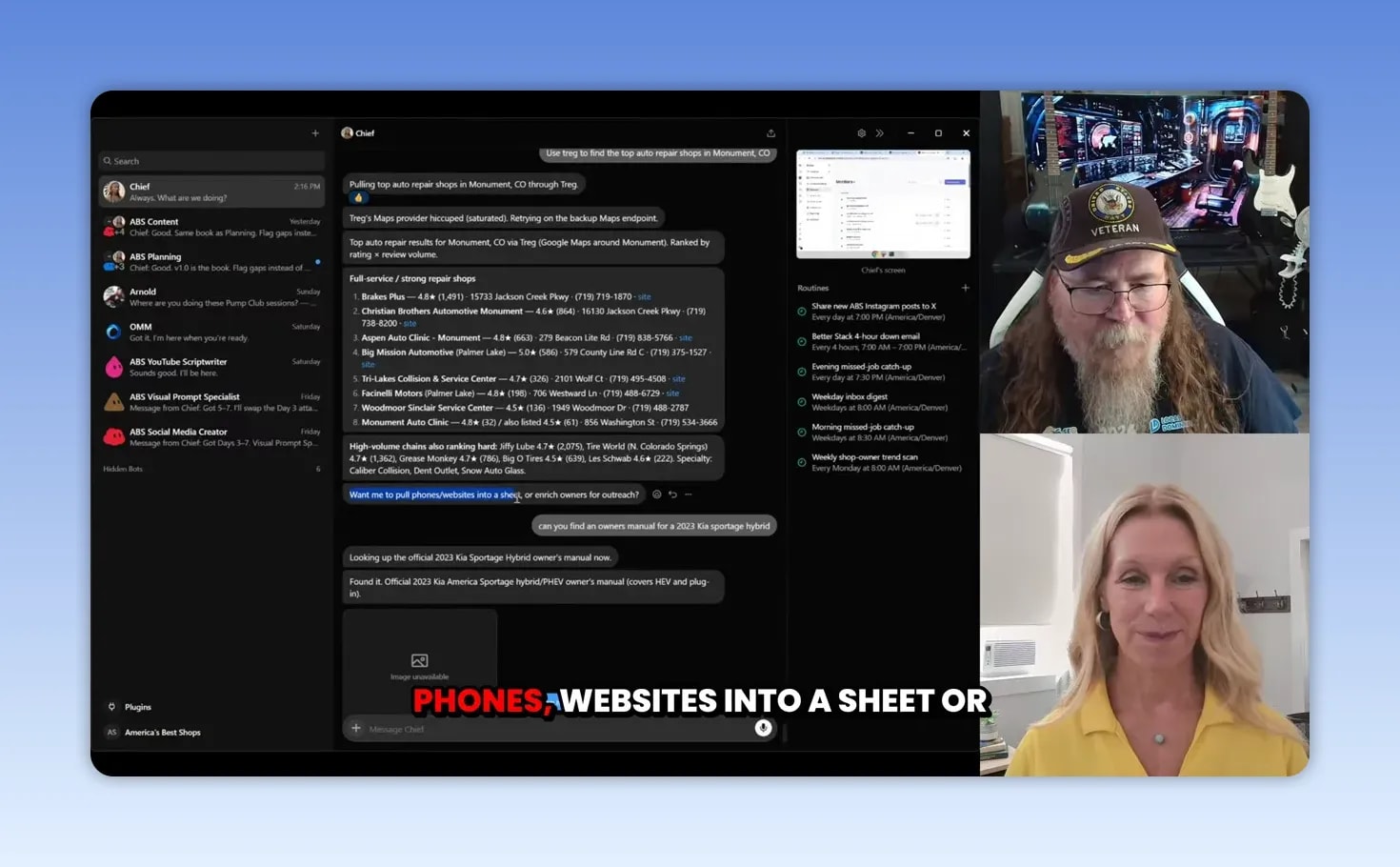
An agent can research the top TikTok videos for a topic like RV repair and return the accounts, videos, and related information. It can also pull a list of local auto repair shops in a specific area and gather useful business details such as websites, phone numbers, and addresses.
Then it can take the next logical step and ask whether you want those results placed in a sheet or enriched for outreach. That is the difference between simply receiving information and having an agent that thinks through the next action.
Find official documentation quickly
You can ask for an official vehicle owner’s manual, such as a Kia Sportage Hybrid manual, and the agent can locate the resource. It may also identify an interactive version, offer to select a specific model year, or help locate a section on charging or maintenance schedules.
Sure, other large language models can help with research too. What stands out here is the combination of research with a connected agent that can continue acting on the results.
Clean up a mountain of email
Email is one of those jobs that can become completely overwhelming. The inbox fills up all day, every day, and before long you are staring at thousands of messages that need sorting, deleting, answering, or delegating.
Chief was used to clean up email accounts and knock out thousands of junk emails. That alone can be a great first step because it delivers a clear result without needing to redesign your entire business.
Create a morning email brief
Rather than digging through your inbox first thing in the morning, the agent can review messages and provide a briefing of the top 10, 20, or 100 emails that actually matter.
It can analyze your email patterns, understand the kinds of communication you prioritize, and offer to draft responses. You can choose to review each response as a draft before sending, or give the agent permission to respond when you have built enough trust in the workflow.
Start with drafts. Verify tone, facts, attachments, and recipients. As the agent learns your routine, you can decide where more automation makes sense.
Turn a quick mobile request into a calendar event
Sometimes the best proof is a simple real-life task. If you spot a sign for a pancake breakfast supporting local firefighters, you can open the Grok Bot app on your phone and tell Chief to add it to your calendar at the right time.
When you get home, the event is already there. That is not a complex enterprise workflow. It is just one more small thing you did not have to remember, type, or schedule later.
Use a Dedicated CRM Account for the Agent
Connecting an agent to your CRM is where things can get next level, but it is also where you want to be intentional about permissions.
An API connection can give the agent access, but creating a separate user account for the agent can make the setup clearer. The agent has its own email, its own identity inside the system, and a visible record of its activity.
In the example shown, Chief was asked to:
- Go back to a previous conversation about social media creation.
- Summarize the discussion from Wednesday.
- Create a Google Doc containing the summary.
- Use the correct connected email account.
- Open the related task inside the Blue CRM.
- Add the Google Doc to the task.
- Tag the appropriate person on the task.
It completed the chain. That is the kind of workflow that can save a pile of little interruptions, especially when projects need to be documented and handed off cleanly.
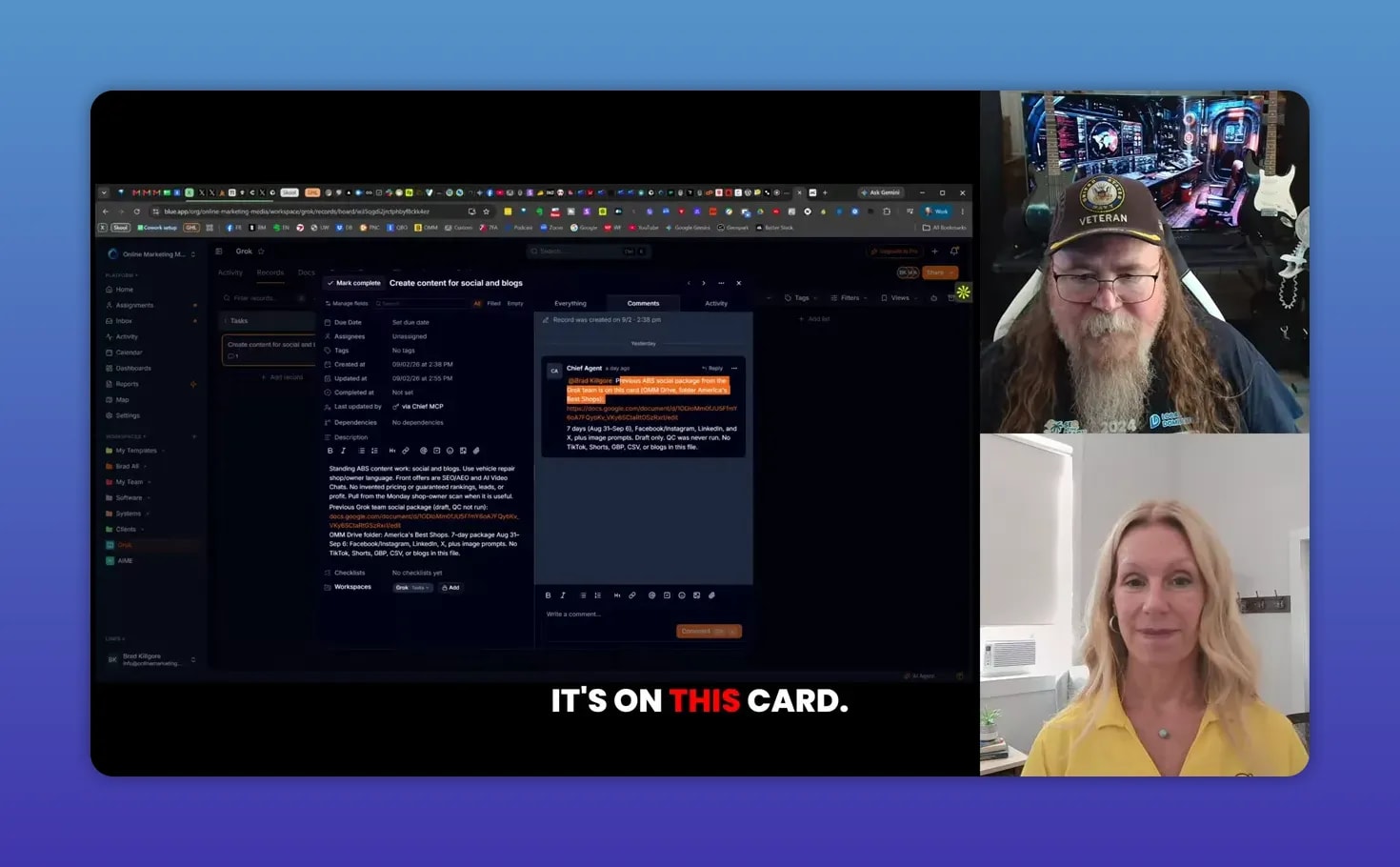
A separate CRM area was also created just for the agent. Chief organized the routines that had been created into a column called Routines, posted the earlier social package to a task card, added the Drive folder link, and tagged the owner.
That kind of transparency matters. You want to see what the agent did, where it put the work, and how to trace it back when needed.
How to Get Started Without Overcomplicating It
Do not make the mistake of seeing a new AI platform and immediately deciding you need to shut down everything else. You do not. Start small, prove value, and expand from there.
Here is the practical approach:
- Choose one headache. Start with email cleanup, a daily email brief, a simple calendar task, or research.
- Create one chief of staff agent. Give it the business context it needs and a dedicated identity.
- Connect only the necessary tools. Start with Gmail, Calendar, Drive, or one CRM area.
- Use limited permissions. Give the agent its own account where possible and avoid granting broad access too early.
- Teach one repeatable task. Record your process and turn it into a routine.
- Review the output. Watch the routine history, check documents, verify drafts, and improve instructions.
- Build confidence before scaling. The more the agent understands how you operate, the more useful it becomes.
You do not need to be a coder to begin. You need a clear picture of what is wasting time in your business and a willingness to test one workflow at a time.
Is an AI Agent Team Worth the Cost?
Pricing and usage models are still developing, and that is part of the growing pains with a brand-new platform. But consider the math.
Whether a system costs $50, $100, or $200 a month, compare that cost with the time required for a human to clean up email, gather research, create documents, update task cards, schedule events, and keep projects organized.
Your own time counts too. If you can get recurring work set up properly, an agent team can help you spend more time on customer service, repairs, sales, leadership, and the things only you can do.
The sky is the limit, but the smartest move is not trying to automate everything by Friday. Start with the manual work that shows up every day. Make your list. Then teach the system the jobs that are worth handing off.
If you want help thinking through practical AI workflows for your shop, America’s Best Shops can help identify the use cases that make the most sense for your business.
|

Brad Killgore is a Best Selling Author, Speaker, Military Veteran, and Strategic Marketing Expert with over 18 years of experience in the industry. Brad loves to spend time with his family and 3 grandchildren. He is an avid traveler who previously lived full-time with his wife in their luxury RV for 3 years. He has worked on some of the biggest concert stages in the world and met some of the most famous Rock Stars on the planet. Brad is a car and motorcycle enthusiast who has attended thousands of concerts over the last 45 years. Brad has been featured on top media outlets for his outstanding marketing results for America’s Best Shops. Brad is a Trailblazer in the world of AI strategy and automation.