
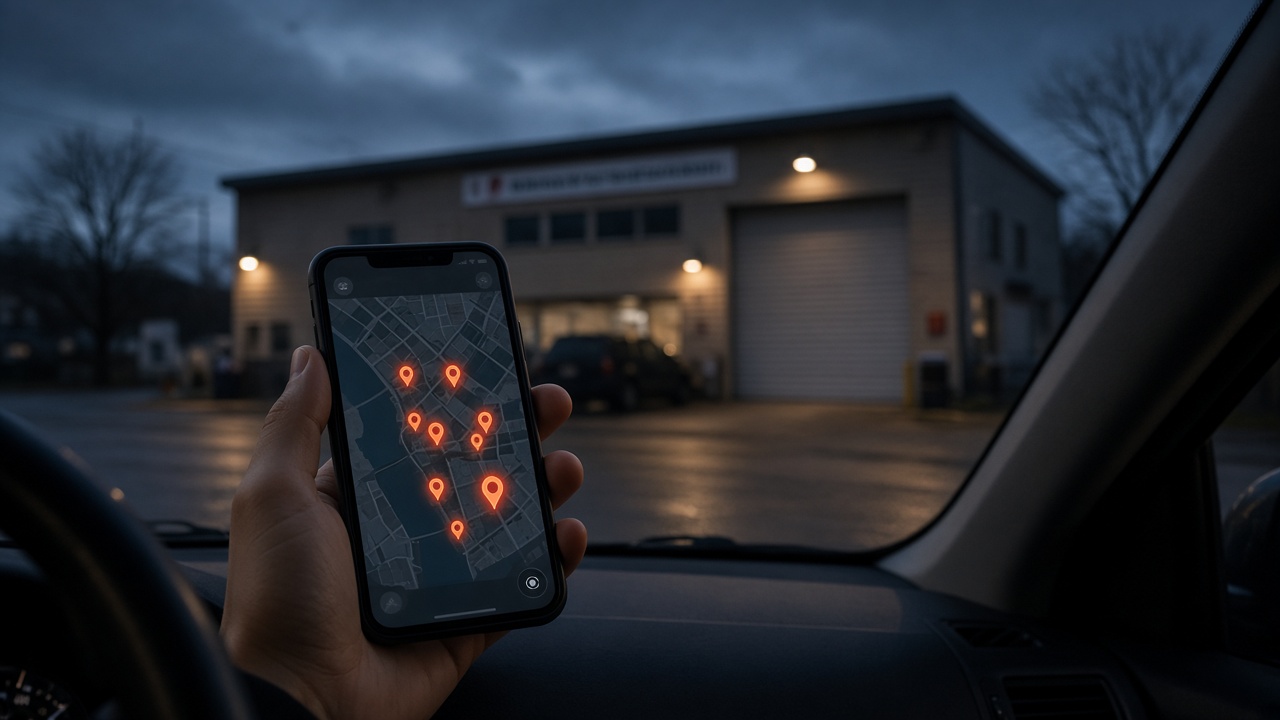
Last Tuesday, I called 47 auto repair shops pretending to be a driver with a dead battery. Forty-three never answered. Of the four that did, three left me on hold for more than two minutes. The fourth said they weren’t accepting new customers because they were booked out for three weeks. For a lot of drivers, your Google Business Profile is the first thing they see before they ever call.
Some of those failed calls weren’t a staffing problem. They never had a chance to reach the front counter. Old numbers, disconnected lines, and incorrect business information were getting in the way.
One shop’s Google listing sent me to a fax machine. A fax machine. In 2026.
That’s the kind of problem that quietly costs a repair shop business. You can’t follow up with a customer you never knew existed. You can’t explain how good your technicians are to someone who couldn’t reach you.
Your repair work can be excellent while your online front door is broken.
Before a driver calls, Google, map listings, websites, reviews, and increasingly AI assistants help shape which shops they consider. Three basic gaps can stop that customer from getting to you: inaccurate contact information, a frustrating mobile website, and a weak review presence.
You don’t need to start with ads, new software, or an expensive redesign. Start with your phone and about 20 minutes. That’s enough to check the basics, correct simple problems, and identify anything that needs more work.
Key Takeaways
- Check that your published phone number reaches the line your shop actually answers.
- Make your mobile website fast, easy to call from, and clear about repair services.
- Ask customers for honest reviews regularly and reply personally to the good ones and the bad ones.
- Use a 20-minute audit to find basic barriers before spending more on advertising.
Table of Contents
- 1. Start With Your Google Business Profile
- 2. Make Your Repair Shop Website Work on a Phone
- 3. Build a Review Presence That Gives Drivers Confidence
- Your 20-Minute Repair Shop Visibility Checklist
1. Start With Your Google Business Profile
Pull out your phone and search Google for your own repair shop. Look at the number on your Google Business Profile.
Not the number you remember entering years ago. Not the number printed on an old business card. The number that appears to a customer today.
Does it match the line your shop actually answers?
Many owners set up their listing when their website first went live, then leave it alone. Meanwhile, phone systems change, hours change, and services change. The listing stays frozen in the past.
During those calls, many of the shops that never answered had a broken phone setup. Some numbers went to disconnected lines. Other listings showed shops as closed when they were open. Those are basic errors with real consequences.
Accuracy matters for local search and customer confidence
Google explains that local results are mainly based on relevance, distance, and prominence. Its guidance for improving local rankings also emphasizes complete, accurate business information.
- Relevance: How well your business matches what someone needs.
- Distance: How far your business is from the location involved in the search.
- Prominence: How well-known your business is.
A wrong phone number doesn’t need to erase your ranking to hurt you. Even if your shop appears in the results, a driver who reaches a dead line may simply call the next shop.
Research cited from BrightLocal found that most consumers would avoid a business after finding incorrect information online. Other research found that many customers would abandon a business after a single unanswered call.
Those patterns aren’t a forecast for your particular shop. But the lesson is straightforward: customers don’t necessarily give you a second chance to answer.
Your first seven minutes: check and correct the listing
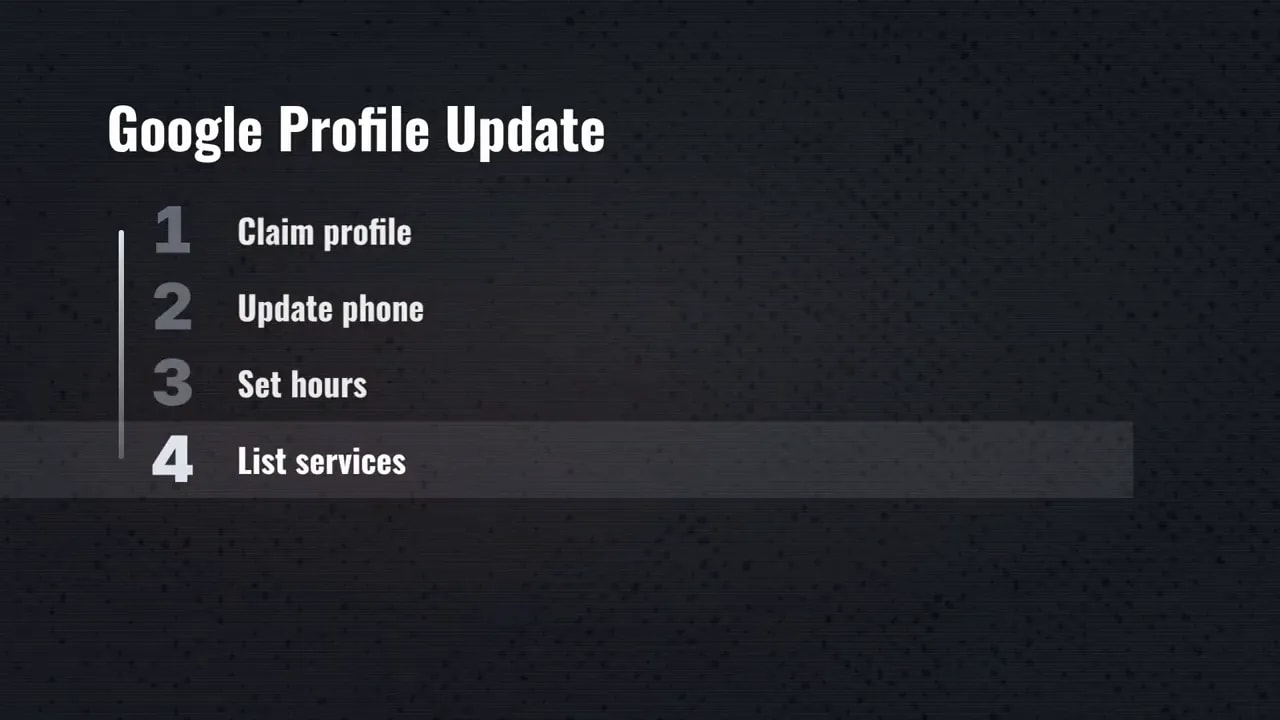
If you haven’t claimed your Google Business Profile, start there. If you already manage it, review these details:
- Phone number: Confirm it reaches the correct line.
- Hours: Make sure the listing reflects when customers can actually contact you.
- Services: List the repair work your shop performs.
- Service area: Check that it accurately reflects your business where applicable.
Then check Yelp, Apple Maps, Bing, and other directories where your shop appears. The phone number should point to the same working line everywhere.
Don’t assume that correcting Google automatically corrects every other listing. A driver might find you through a different map app or directory.
Finally, call your published number from a different phone. That’s the simplest test in this entire process. You aren’t checking whether the digits look right. You’re checking whether a customer can reach you.
Repeat that call once a month. Finding a broken number yourself is a lot better than waiting for a customer to tell you about it in person.
2. Make Your Repair Shop Website Work on a Phone
Now open your shop’s website on your phone. Leave the desktop computer out of this test.
A site can look perfectly fine on a big office monitor and still be a headache on a small screen. Your customer doesn’t care how good it looked when you approved it five or ten years ago. They care whether it helps them solve today’s problem.
Can they quickly see what you repair? Can they read the page without zooming? Can they call without copying a tiny phone number?
If the answer is no, your website is creating work for someone who already has enough to deal with.
Speed is part of the customer experience
Google research cited here found that many mobile visits are abandoned when pages load slowly. That doesn’t mean every slow page loses its visitors. It does make speed an obvious place to check.
A driver can return to the search results and choose another shop before your homepage has finished loading. That’s a lost opportunity before you’ve even had a conversation.
Use Google’s free PageSpeed Insights tool to test your site. Review the mobile results, not just the desktop results.
The point of this quick check isn’t to become a web developer. It’s to find out whether your website has a performance problem instead of assuming everything works.
Make calling the easiest action on the page
Your phone number should be a large, obvious tap-to-call button at the top of every page. Your homepage should also have a clear “Call Now” button.
Test it yourself. Tap the button and confirm that your phone brings up the correct number to dial.
Customers shouldn’t have to zoom in, memorize digits, switch applications, and type the number manually. Every extra step is another chance for them to stop.
This matters beyond the homepage. Someone may arrive directly on a services page. They should be able to call from there without hunting through menus or returning to the beginning.
Say plainly what you fix
Check your services page next. Name the vehicles you work on and the repairs you do, like brakes, transmissions, or air conditioning.
Don’t make a driver decode a vague promise of “complete automotive solutions” to figure out whether you handle their problem. Clear service information helps them make a decision.
Positive reviews may have already made that person interested in your shop. BrightLocal research cited here found that many consumers visit a business website after reading positive reviews. A difficult website can waste the trust you’ve already earned.
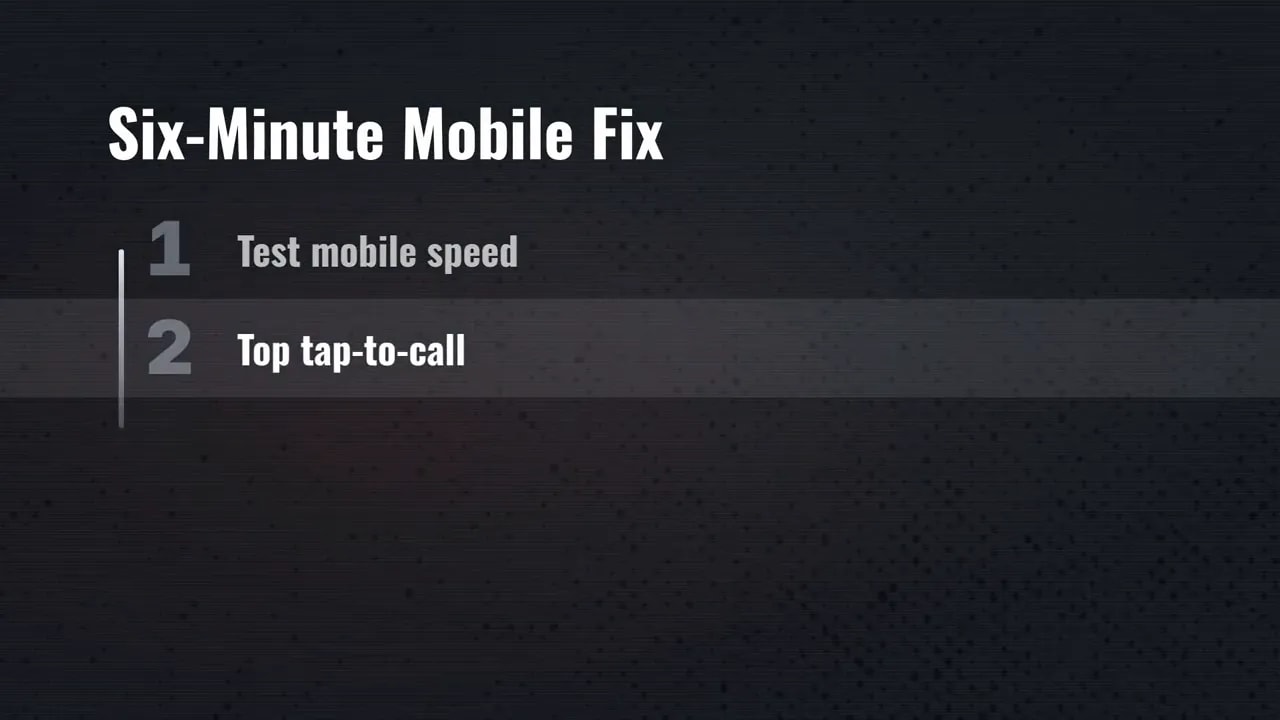
Your six-minute mobile check should cover four things:
- Run a mobile speed test.
- Check the tap-to-call button at the top of each page.
- Confirm the homepage has a clear calling option.
- Read the services page and verify that it names what you repair.
You don’t need to begin with an expensive redesign. You need a site that works on the device your customer has in their hand.
If you can edit your website, make the straightforward changes now. If you can’t, you’ve still identified specific fixes to request. “Make this button call our shop” is a much clearer task than “our website isn’t working.”
3. Build a Review Presence That Gives Drivers Confidence
Even with a working phone number and a usable website, you still have one more hurdle: trust.
A driver may have never dealt with your shop before. Reviews help them decide whether to take that first step.
Most consumers read reviews before calling a local business. Many would skip a business with only a handful of reviews.
If your shop has eight or twelve reviews, that doesn’t prove your service is poor. It means your online reputation may not reflect the work you do every day.
For a shop owner, the practical question is simpler: does your review profile give a stranger enough confidence to call?
Review freshness matters, not just the total
Look at the date of your latest review. If it’s six months old, your profile isn’t giving customers much evidence of recent activity.
Research cited here found that many consumers care most about reviews written recently. Older reviews can still describe your shop’s history, but fresh feedback helps show what customers are experiencing now.
That’s why reviews shouldn’t be a one-time campaign. A burst of feedback followed by months of silence leaves the same gap again later.
Many shop owners don’t ask because it feels pushy. Others mean to ask and forget between jobs. Either way, the result is the same: real customer experiences never make it onto the listing.
Use the next seven minutes to get the process moving
Start with a small outreach task: send a direct Google review link to ten recent customers. Keep the request brief, personal, and focused on honest feedback.
The goal is to make leaving a review easy, not to dictate what someone should say. Keep that invitation open to customer feedback generally rather than treating reviews as something reserved only for praise.
Next, put a simple “How did we do?” card on your counter. Give customers a reminder while their experience is still fresh.
You won’t create a complete review history in seven minutes. You can start the habit that keeps the profile from going stale.
Reply to every review, and sound like a person
Respond to existing reviews, good and bad. A short, thoughtful reply shows that someone at the shop is paying attention.
The BrightLocal findings cited here indicated that many consumers were more likely to use a business that responded to all reviews. They also showed resistance to copy-and-paste replies.
So keep it human. Use the customer’s name and acknowledge the service or experience they described.
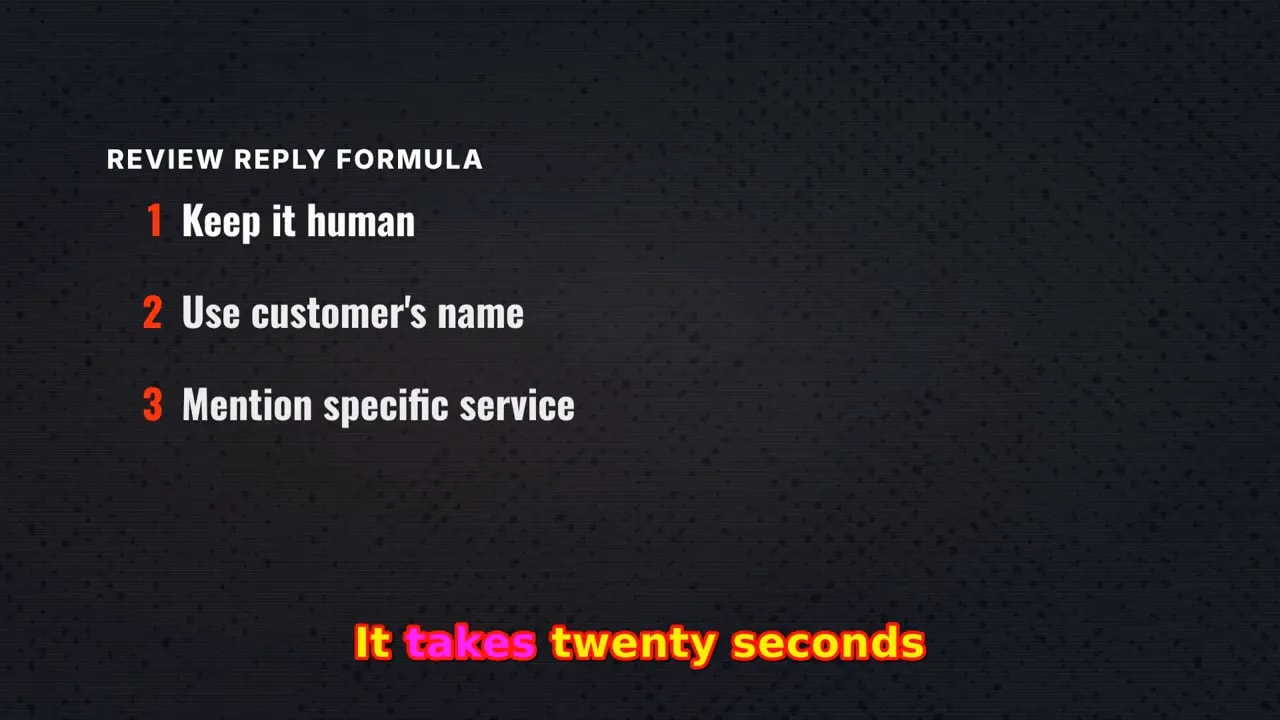
A three-sentence reply is a useful starting point: acknowledge the person, address their feedback, and close naturally. It doesn’t need to sound like a press release.
Negative feedback deserves attention too. Respond to the concern rather than pasting the same cheerful thank-you underneath every rating. The next potential customer is evaluating how you handle the conversation, not just the number of stars.
If you’ve got a large backlog, begin now and continue beyond the initial seven minutes. Don’t let the size of the job become an excuse to leave every review unanswered.
Your 20-Minute Repair Shop Visibility Checklist
These three fixes belong together. Accurate information helps drivers reach you. A usable mobile website makes contacting you easier. Reviews help them feel comfortable making the call.
Fixing only one leaves the other barriers in place.
| Time | Focus | What to check |
|---|---|---|
| First 7 minutes | Listings and phone access | Check Google information, compare directory numbers, and call your published line. |
| Next 6 minutes | Mobile website | Test speed, tap-to-call functionality, homepage contact options, and service descriptions. |
| Final 7 minutes | Reviews | Begin customer outreach, respond to feedback, and add a counter reminder. |
Treat 20 minutes as the starting repair session, not a promise that every issue will disappear within that window. Claiming a profile, resolving a technical website problem, or answering a large review backlog can take longer.
But you can stop guessing today. You can find the wrong number, discover the broken button, or notice that your last review is months old.
These basics are the foundation of local SEO for repair shops. They also matter as AI search and phone assistants increasingly help drivers choose local businesses. The way customers find a shop is changing. Your business information still needs to be accurate, your services understandable, and your reputation visible.
This isn’t just a marketing project. It’s maintenance on the path that brings customers to your shop.
Before spending more money to attract attention, make sure the attention you already receive can turn into a conversation. Search your business, call your number, open your site, and check your reviews. Fix the broken connections first.
Want a second set of eyes on how your shop shows up in local search? America’s Best Shops helps vehicle repair shops get found and keep their business information accurate. Request a free marketing analysis

Brad Killgore is a Best Selling Author, Speaker, Military Veteran, and Strategic Marketing Expert with over 18 years of experience in the industry. Brad loves to spend time with his family and 3 grandchildren. He is an avid traveler who previously lived full-time with his wife in their luxury RV for 3 years. He has worked on some of the biggest concert stages in the world and met some of the most famous Rock Stars on the planet. Brad is a car and motorcycle enthusiast who has attended thousands of concerts over the last 45 years. Brad has been featured on top media outlets for his outstanding marketing results for America’s Best Shops. Brad is a Trailblazer in the world of AI strategy and automation.