
The #1 Reason Auto Repair Shops Lose Money (And How AI Fixes It)

Every independent auto shop has a “leaky bucket” problem: excellent technicians and competitive pricing, but holes in the booking and communication process that let potential revenue slip away. Missed calls, unanswered web inquiries, and slow follow-ups can cost a shop 25 to 40 percent of its potential revenue. That loss happens whether the shop is slammed or slow — and most of it is avoidable.
Quick Navigation: AI Tools to Stop Revenue Leaks
- The leaky bucket: where money walks out the door
- Why quick, consistent response matters
- AI-driven solutions that plug the leaks
- Real-world impact: what good looks like
- Step-by-step rollout for a busy shop
- Common concerns and how to handle them
- Quick implementation checklist
- Measuring success: KPIs to watch
- Why this is a small investment with big returns
- FAQ
- Final thoughts
The leaky bucket: where money walks out the door
Imagine a customer with a car problem in the middle of their day. They find your shop online, call the number listed, and hit voicemail after a couple rings. They are stressed, short on time, and need an immediate solution. Instead of leaving a message, they call the next shop that answers. Paid ads, social posts, and Google rankings only matter if those visitors or callers can engage with your business instantly.
That scenario plays out dozens of times a week for many shops. Missed calls become missed appointments, and missed appointments become lost revenue. The problem shows up in several ways:
- Calls that go to voicemail during busy hours or after-hours and never get returned.
- Website visitors who leave because the only option is an email form or to find a phone number elsewhere.
- Paid leads that arrive but never convert because contact information wasn’t captured or followed up on quickly enough.
Why quick, consistent response matters
Automotive repairs are often urgent. People pick the first shop that can schedule them or answer their questions. Speed and accessibility win. That means a solid marketing spend will fail if it is not paired with a system that captures and converts inquiries 24/7.
The good news: technology today makes it possible to be present for customers at every touchpoint, without hiring a full-time receptionist to sit idle between calls.
AI-driven solutions that plug the leaks
There are practical, proven AI tools that can dramatically reduce missed opportunities. Here are the ones that deliver the biggest impact for shops of every size.
1. AI voice receptionist — answers the phone like a human
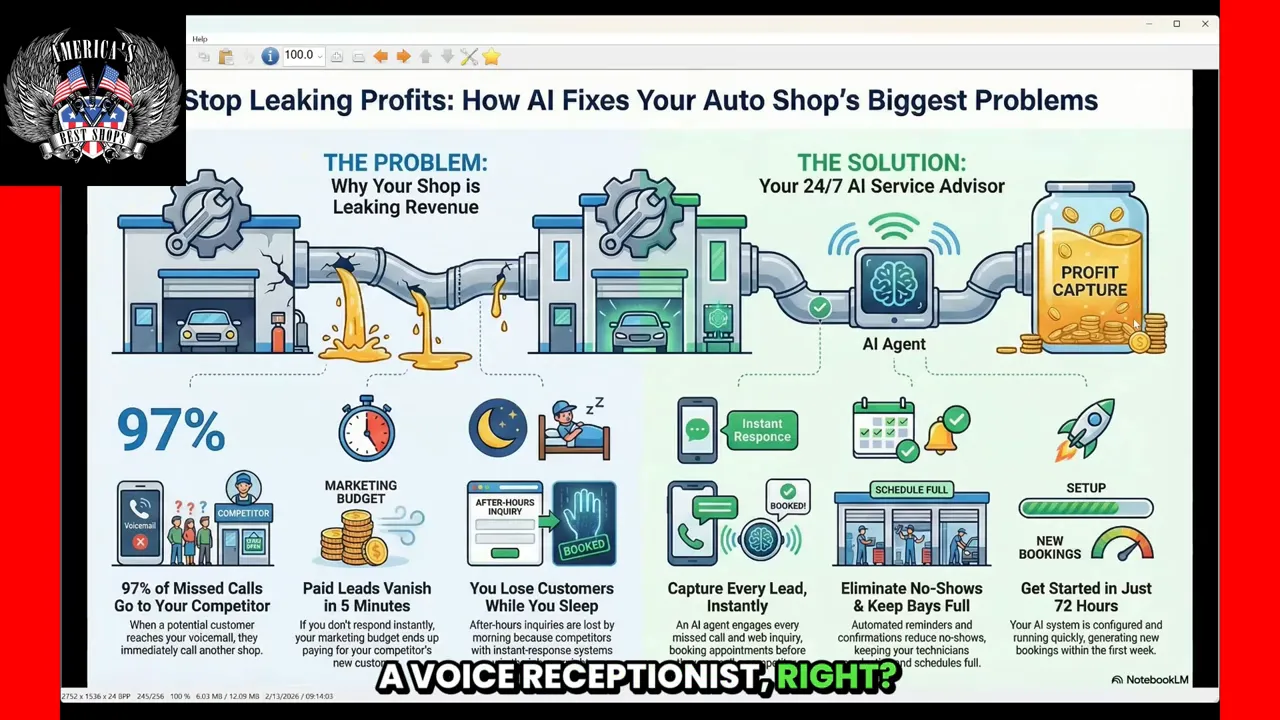
An AI voice receptionist can be configured to pick up calls during busy hours, after a set number of rings, or only after hours. These systems are trained to sound natural, provide business information, and follow routing logic that resembles a human receptionist.
What an AI voice receptionist can do:
- Answer questions about hours, location, and walk-in policy
- Collect caller details and basic vehicle information
- Schedule appointments or route callers to the right calendar
- Send confirmation and reminder messages
- Work 24/7 without vacation, sick days, or overtime
These voice agents are inexpensive compared to staffing a live person for every ring and can be customized for tone, speed, and script so they reflect your shop’s personality. They are not perfect replacements for people, but they catch the majority of leads that would otherwise be lost.
2. Website chatbots — immediate contact where customers start
A professional chatbot on your website captures visitors who are short on time or prefer typing. Instead of sending people to an email form, a chatbot can collect appointment details, answer FAQs, and either schedule a slot or hand off to a human when needed.
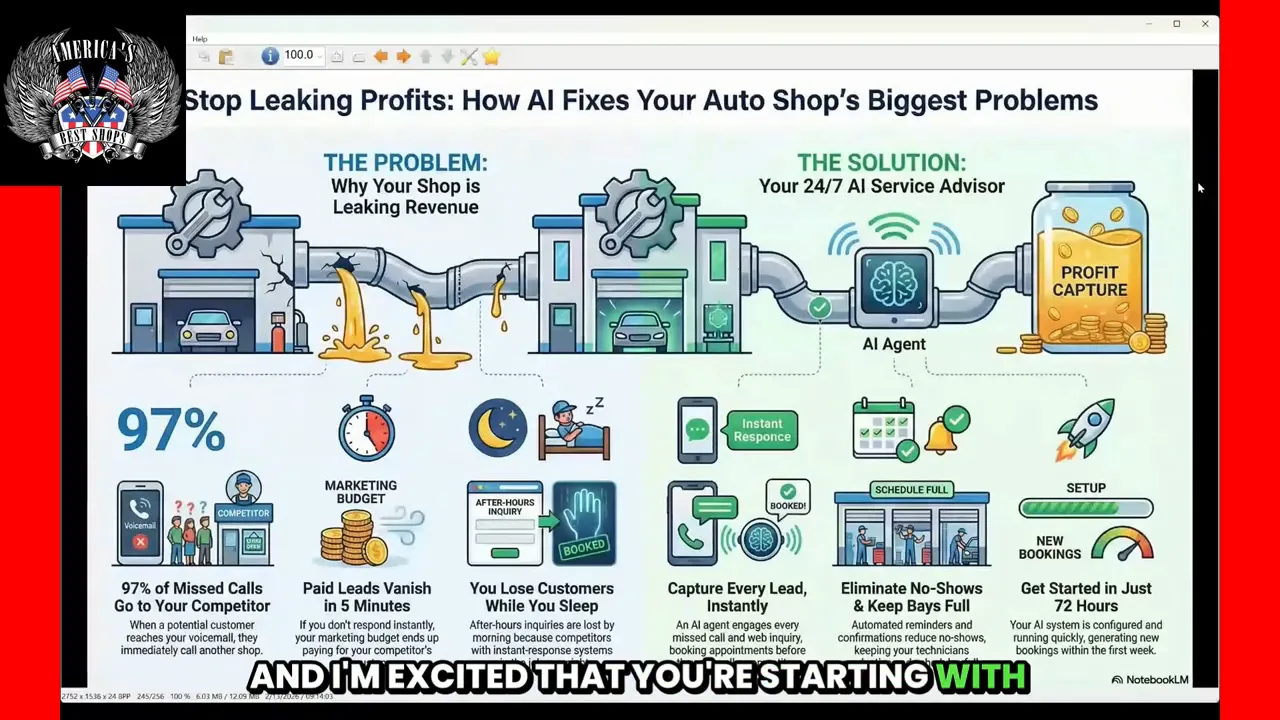
Modern chatbots do much more than canned responses. They can:
- Understand natural language and prioritize the intent of the visitor
- Offer appointment options based on live calendar availability
- Capture phone numbers and permission to send texts
- Hand off to a human agent or escalate to a voice/video call
If you are trying to protect your calendar or your front desk’s time, chatbots allow you to set strict scheduling rules while still offering instant engagement to visitors.
3. Instant video chat — let customers show you the problem

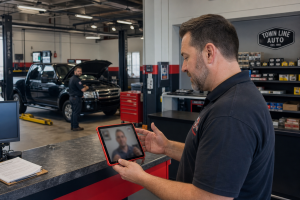
One of the most powerful additions is the ability to escalate a web chat into an audio or video call in real time. This is a game changer for diagnostics because customers can show noises, leaks, or dashboard warnings directly to a technician.
Benefits of instant video chat:
- Faster triage of issues — determine urgency and potential labor before the customer’s arrival
- Improves first-visit diagnosis and reduces back-and-forth
- Builds trust and transparency — customers appreciate a technician who took the time to visually inspect the problem
- Increases conversion for high-value repairs because the shop can demonstrate expertise quickly
4. Calendar and scheduling integration — give the AI guardrails

The real power comes when the AI tools connect to your actual schedule. Whether you use a single Google calendar or separate calendars for departments or technicians, the AI can check availability, offer appointment windows, and write bookings directly into your calendar.
How scheduling configuration typically works:
- Single-shop calendar: simple setup when one schedule handles most bookings
- Multiple calendars: route customers to specific technicians or departments based on service type
- Buffer rules: add travel or prep time automatically, prevent back-to-back overload
- Confirmation and reminders: automated texts and emails to reduce no-shows
With calendar integration, the AI acts like a human service advisor — checking availability, offering options, and confirming bookings without requiring a person to be online at the moment the customer reaches out.
5. CRM and follow-up automation — stop wasting morning hours
Incoming lead details can be automatically pushed into your CRM so when the phone starts ringing in the morning, everything is documented: customer name, vehicle, reported symptoms, and the booked appointment.
Automated follow-up sequences can:
- Send pre-appointment reminders
- Request additional photos or mileage details
- Send a post-service review request to boost online reputation
This automation frees your staff from tedious data entry and returns time to technicians and advisors to focus on repairs and customer care.
Real-world impact: what good looks like
Shops that implement a combination of AI voice agents, chatbots, and calendar integration often see immediate improvement in conversion rates from inbound inquiries. Minutes count in auto service. When a lead is handled instantly, the chance of booking goes up dramatically.
- More scheduled jobs: Fewer missed calls means more appointments booked.
- Higher ticket values: Faster, clearer diagnostics via video can lead to more accurate estimates and acceptance.
- Lower administrative burden: Less time spent returning missed calls and filling CRM fields.
- Stronger online presence: Automated review generation helps with local SEO and trust.
Step-by-step rollout for a busy shop
You don’t need to overhaul everything overnight. Here’s a practical deployment plan that scales with your comfort and budget.
- Audit current leak points: track missed calls, web form abandonment, and average response time for incoming messages.
- Install a professional chatbot on the website to capture web traffic immediately. Start with basic Q&A and lead capture.
- Add an AI voice receptionist set to answer after a chosen number of rings or for after-hours calls. Customize scripts for common questions.
- Connect calendars and set business rules: block times for walk-ins, add buffers, and set technician-specific schedules if needed.
- Enable video escalation on the chatbot for better diagnostics. Limit hours initially if you want to control availability.
- Integrate the AI tools with your CRM to automatically record inbound leads and confirmations.
- Track KPIs for 30–90 days: calls answered, chats started, appointments booked, conversion rate, and average repair order value.
- Iterate based on results: refine scripts, add new responses, and expand AI hours as confidence grows.
Common concerns and how to handle them
Reliability: what if the AI makes a mistake?
AI systems are not flawless, but they improve from real interactions. Start by training scripts on the most common inquiries — hours, location, walk-in policy, and typical services. Set the AI to escalate to a human when uncertain or when the customer requests to speak with someone live.
Does this replace human staff?
No. AI is best used to augment your team. It handles routine tasks so your service advisors spend their time on high-value conversations and in-shop customers. Think of AI as an extension of your front desk that works nights and weekends.
Will customers mind an AI answering?
Most people care about speed and clarity more than who they are interacting with. If the AI is natural-sounding, helpful, and able to route to a human when needed, acceptance is high across age groups. Younger customers prefer text and chat, while older customers still appreciate voice — both can be offered.
Privacy and compliance
Ensure any vendor you choose follows standard data protection practices. Use explicit consent for follow-up texts and emails, and document permission in your CRM.
Quick implementation checklist
- Install chatbot on the homepage and service pages
- Configure AI voice receptionist to answer after X rings or during specific hours
- Integrate scheduling with Google Calendar or your existing booking tool
- Enable text confirmations and reminders to reduce no-shows
- Set escalation rules so it routes to a human when needed
- Monitor performance daily for the first two weeks, then weekly
Measuring success: KPIs to watch
When you deploy these tools, track these metrics to measure the health of the bucket:
- Calls answered rate (live + AI) vs missed calls
- Chat to appointment conversion percentage
- Average time from inquiry to booking
- Review capture rate after service completion
- Revenue per booked appointment and change over time
Why this is a small investment with big returns
Fixing the leaky bucket is often the highest-return investment a shop can make. A modest monthly fee for AI tools can recover dozens of appointments a month, reduce administrative hours, and increase average repair order values by speeding up diagnosis and improving communication.
Instead of losing high-ticket repairs to national chains that are simply faster at answering, you can keep those customers by being available when they need you.
FAQ
How does an AI voice receptionist differ from a standard voicemail or IVR?
AI voice receptionists use natural language processing to hold conversations, answer FAQs, and collect information. Unlike basic IVR trees or voicemail, they can interpret intent, offer appointment times by checking calendars, and escalate to a human or other channels when needed.
Can the AI schedule appointments directly into my existing calendar?
Yes. Most systems integrate with Google Calendar and common scheduling tools. You can configure multiple calendars for departments or technicians and set booking rules to protect your capacity.
Will customers know they are talking to AI?
That depends on configuration. Many shops choose to be transparent and let customers know they are interacting with an assistant. When the AI is natural and helpful, most customers care more about a quick answer than whether it is a person or a system.
What if I only want AI to handle after-hours calls?
You can set the AI to answer only during specific hours, after a set number of rings, or only when your staff marks themselves unavailable. This lets you trial the system without changing daytime operations.
How do video chats help with booking high-value repairs?
Video chat allows technicians to visually inspect the issue in real time. That reduces uncertainty, shortens diagnosis time, and gives customers confidence in the recommendation. Visual proof increases acceptance rates for larger repairs.
What are realistic results after implementing AI tools?
Results vary by shop, but many see immediate reductions in missed calls, increases in scheduled appointments, and higher review capture rates. Tracking conversion rates before and after launch will show the specific ROI for your shop.
Final thoughts
The biggest opportunity for most independent shops is not a new ad campaign — it is making sure every caller and website visitor gets a helpful, instant response. AI voice agents, professional chatbots, video escalation, and calendar integrations are practical ways to plug the leaks and convert more of the traffic you already have.
If you want to explore options or see a demo of these systems in action, reach out to the teams that specialize in auto shop workflows. With the right setup, you keep your bays full, reduce administrative overhead, and stop letting profitable repairs slip away.
Ready to close the gaps and keep more business in your shop? Start by tracking missed calls for a week. The number will tell you where to focus first.

Brad Killgore is a Best Selling Author, Speaker, Military Veteran, and Strategic Marketing Expert with over 18 years of experience in the industry. Brad loves to spend time with his family and 3 grandchildren. He is an avid traveler who previously lived full-time with his wife in their luxury RV for 3 years. He has worked on some of the biggest concert stages in the world and met some of the most famous Rock Stars on the planet. Brad is a car and motorcycle enthusiast who has attended thousands of concerts over the last 45 years. Brad has been featured on top media outlets for his outstanding marketing results for America’s Best Shops. Brad is a Trailblazer in the world of AI strategy and automation.